 KingMcDonalds
50 lines
1.8 KiB
Markdown
50 lines
1.8 KiB
Markdown
# fivem-scenes
|
|
A standalone scene creation script
|
|
|
|
## Setup
|
|
Make sure to download the latest release from the Releases section on the right and not the source code
|
|
https://github.com/SamShanks1/fivem-scenes/releases/latest/download/fivem-scenes.zip
|
|
|
|
Import scenes.sql into your database
|
|
|
|
Ensure fivem-scenes after ox_lib and oxmysql
|
|
|
|
## Dependencies
|
|
- [ox_lib](https://github.com/overextended/ox_lib)
|
|
- [oxmysql](https://github.com/overextended/oxmysql)
|
|
|
|
## Features
|
|
* Manage scene using a laser point with the command 'scene'
|
|
* Custom Background & Fonts (credits to dpscenes)
|
|
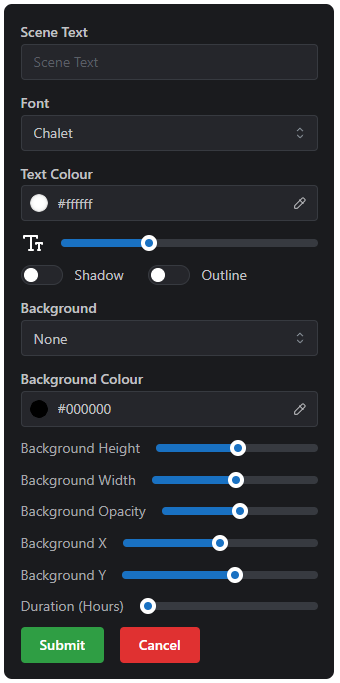
* Change the text, colour, font size, shadow, outline and view distance
|
|
* Config for max distance, max duration, logs and max scenes
|
|
* Change the background type, colour, height, width, position and opacity
|
|
* View the changes being made before placing the scene
|
|
* Scenes are saved to the database
|
|
* Scenes are automatically deleted when they expire
|
|
* Delete your own scenes or admins can delete anyones
|
|
* Admin only option
|
|
* Permanent scenes options
|
|
|
|
## Example Usage
|
|
### Interface Examples
|
|
|
|
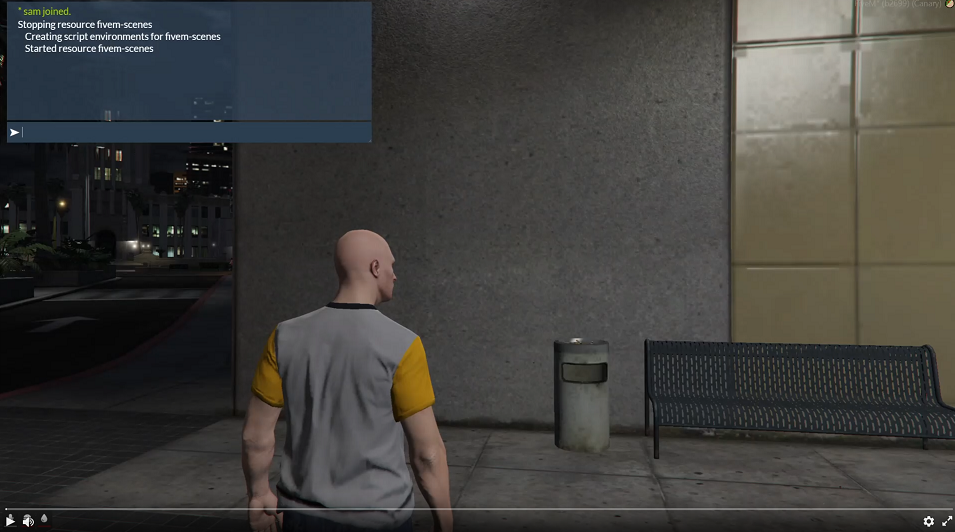
### Video Example
|
|
[](https://streamable.com/2lj8o9)
|
|
|
|
|
|
# ToDo List
|
|
* Help button on UI showing [Text Formatting](https://docs.fivem.net/docs/game-references/text-formatting)
|
|
* Edit Scenes
|
|
* Emoji selector
|
|
* Show Scene duration
|
|
* Word Filter
|
|
|
|
## Credits
|
|
Credit to [ItsANoBrainer's qb-scenes](https://github.com/ItsANoBrainer/qb-scenes) for a lot of the functions, lua code and inspiration.
|
|
|
|
Credit to [Andristum's dpscenes](https://github.com/andristum/dpscenes) for the fonts, backgrounds and some more lua code.
|
|
|
|
## License
|
|
[GNU GPL v3](http://www.gnu.org/licenses/gpl-3.0.html)
|